Lyrics Writing, Tags & Saved Snippets
In Custom mode, Lyrics controls the words and their order. Style controls the overall sound. Keeping those jobs separate makes both fields easier to edit.
Start with a simple song plan
Before writing every line, decide:
- What is the song about?
- What is the one line listeners should remember?
- What changes between the first and second verse?
- How should the song end?
Write the main hook first. Then build the verses around it. Short lines with one clear idea are usually easier to sing than long sentences.
Mark the song sections
Put section tags on their own lines:
| Tag | What it usually does |
|---|---|
[Intro] | Opens the song before the main story |
[Verse] | Adds story, detail, or a new point of view |
[Pre-Chorus] | Builds toward the main hook |
[Chorus] | Repeats the central idea and most memorable lines |
[Bridge] | Adds contrast before the last return |
[Outro] | Gives the song a clear closing section |
Write the complete chorus each time it should return. Do not assume a label alone will repeat earlier words.
You can add one short performance note to a section:
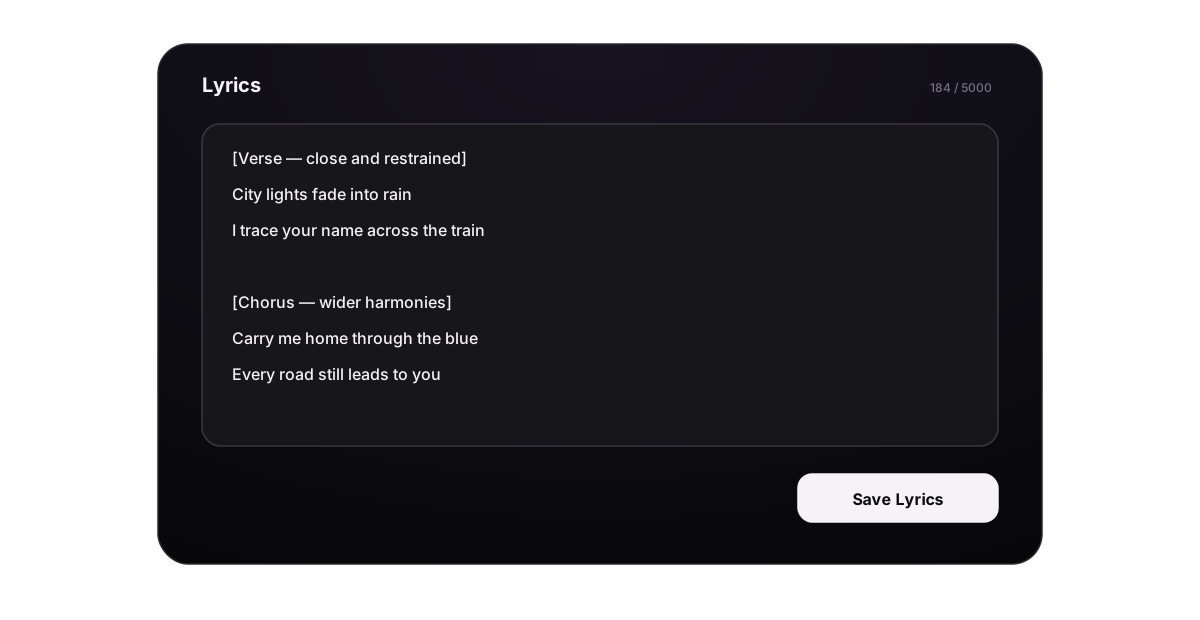
[Verse - close and restrained]
City lights fade into rain
I trace your name across the train

[Chorus - wider harmonies]
Carry me home through the blue
Every road still leads to you
Keep genre, instruments, tempo, and mix in Style. Too many notes inside Lyrics can make the words harder to follow.
Add local direction only where it changes
Lyrics can include a small amount of section-level context. Use it for a change that belongs to one part of the song:
[Intro - whispered][Verse 2 - drums enter][Chorus - wider harmonies][Bridge - half-time, restrained vocal][Outro - repeat the last line softly]
Do not paste the whole Style prompt into every section. If the direction applies to the complete song, keep it in Style. If the words must be sung, keep them as normal lyric lines rather than hiding them inside a long instruction.
Use square brackets and parentheses differently
The three forms inside Lyrics have different jobs:
| Form | Use it for | Example |
|---|---|---|
| Plain lyric line | The main words you want sung | Every road leads me back to you |
[Square brackets] | A section label or a short local performance cue | [Chorus - wider harmonies] |
(Parentheses) | Extra words that may be sung as a backing line, echo, response, or ad-lib | (back to you) |
These are directions to the music model, not fixed notation commands. A model can ignore a cue, sing a bracketed label, or perform parenthetical words differently from what you expected. Short, consistent formatting usually gives a clearer request, but it cannot guarantee a separate singer or exact effect.
Square brackets: structure and local directions
Put a square-bracket tag on its own line before the section it controls.
Common structure tags include:
[Intro],[Verse 1],[Verse 2][Pre-Chorus],[Chorus],[Post-Chorus][Bridge],[Break],[Drop][Instrumental],[Guitar Solo][Final Chorus],[Outro],[Fade Out]
Add one or two local details only when that section needs a change:
[Verse 1 - close vocal, sparse piano]
[Pre-Chorus - drums enter]
[Chorus - wider harmonies]
[Bridge - half-time]
[Outro - repeat the final line softly]
Keep full-song direction such as genre, BPM, overall instrumentation, and mix in Style. Avoid long bracketed sentences such as [Please sing this quietly at first and then add every instrument while becoming emotional]; a shorter tag is easier to scan and leaves less room for conflicting instructions.
Parentheses: backing lines, echoes, responses, and ad-libs
Text in parentheses is still lyric content. Write only words or sounds that you are comfortable hearing in the song.
Echo the end of a line
I keep driving through the night
(through the night)
Add a response
Will you meet me by the water?
(I'll be waiting there)
Add a short ad-lib
We finally made it home (oh-oh)
Build backing vocals in a chorus
[Chorus - lead with backing harmonies]
Carry the light through the blue
(carry it, carry it)
Every road leads me back to you
(back to you)
Do not use parentheses for hidden instructions. For example, (sing softly) may be sung as the words “sing softly.” Write [Verse - soft close vocal] instead.
Avoid nested parentheses and avoid adding a parenthetical response to every line. Too many secondary phrases can crowd the lead lyric or make the model choose an unexpected vocal arrangement.
Combine both without ambiguity
[Verse 1 - close lead vocal]
Streetlights disappear in rain
(come back home)

[Pre-Chorus - drums enter]
One more turn, one more sign
(closer, closer)

[Chorus - wider harmonies]
Carry the light through the blue
(carry it through)
Every road leads me back to you
(back to you)
Here, square brackets describe each section. The unwrapped lines are the main lyric. Parentheses contain the additional words that may become echoes or backing vocals.
Complete short lyrics example
This original example shows how the story, repeated hook, and local performance notes can work together:
[Intro - sparse piano]

[Verse 1 - close and restrained]
Streetlights disappear in rain
I watch our old stop pass again

[Pre-Chorus - drums enter]
One more turn, one more sign
Your voice is keeping time

[Chorus - wider harmonies]
Carry the light through the blue
Every road leads me back to you

[Verse 2 - warmer, full band]
Morning opens on the glass
The city wakes, the shadows pass

[Chorus - wider harmonies]
Carry the light through the blue
Every road leads me back to you

[Bridge - half-time, call and response]
If the distance calls my name
(we will find the way)

[Final Chorus - crescendo, stacked harmonies]
Carry the light through the blue
Every road leads me back to you

[Outro - repeat softly]
Back to you
Notice what the example does:
- The verses add new images instead of repeating the same information.
- The complete chorus appears every time it returns.
- Performance notes are short and only appear when the arrangement changes.
- The bridge introduces contrast before the final chorus.
- The Outro gives the song a specific closing action.
You can also use structural tags without lyrics when the section is mainly musical, for example [Instrumental Break - drums and bass only], [Drop - full beat and bass], or [Guitar Solo - melodic, restrained].
Generate new lyrics
Choose Generate Lyrics when the Lyrics field is empty:
- Enter a theme, story, or hook. Leave it blank if you want a random starting idea.
- Choose a lyric model.
- Generate and compare Basic with the tagged Advanced version when both are available.
- Edit the result in the window.
- Choose Use this lyrics.
Applying generated lyrics can also fill the Title and Style fields. Review all three before creating the song.
Improve lyrics you already have
When Lyrics contains text, choose Optimize and ask for one clear change, for example:
- “Shorten each verse to four lines.”
- “Keep the chorus exactly as written and make Verse 2 more hopeful.”
- “Use simpler words and keep the same section order.”
- “Add a short bridge before the final chorus.”
Read the new version line by line before applying it. Check that names, language, meaning, rhymes, and repeated choruses were not changed by mistake.
Save and reuse strong parts
- Use the save icon beside Lyrics and add an optional name.
- Open Saved Lyrics to use, edit, or delete saved text.
- Use Saved Style for musical directions you want to reuse.
- Deleting a saved snippet does not clear the text currently in the creator.
- Turning on Instrumental hides Lyrics but does not immediately erase it. Switch back and check before submitting.
Save a good draft before Generate or Optimize so you can return to it.
Final lyrics check
Before choosing Create, read the lyrics aloud and confirm:
- every section is in the intended order;
- repeated choruses contain the full words;
- lines are short enough to sing naturally;
- the language stays consistent;
- no notes or placeholder text remain;
- square-bracket tags are short and placed before the section they control;
- parentheses contain only words or sounds you are comfortable hearing;
- the character counter is within the active model’s limit.
For Replace Section, put only the new local words in Replacement lyrics, while Full lyrics after replacement keeps the complete final song order.
