How Credits & Tasks Work
Credits are used to create or change music. Before you start, the cost appears above the Create button as Credits required.
Common music costs
| Action | Cost |
|---|---|
| Create with AIMusicGen V2–V7 | 4 Credits |
| Create with MiniMax Music 3.0 | 1 Credit for each second you choose |
| Create with ElevenLabs Music V2 | 10 Credits for each started minute, with a 10-Credit minimum |
| AIMusicGen Cover, Extend, Add Instruments, Add Vocals, or Edit song section | 4 Credits |
| MiniMax Cover | 20 Credits |
| Upload only | Free, or 2 Credits when Copyrighted audio is turned on |
The number can change when you change the model, length, or action. Check Credits required after your last change.
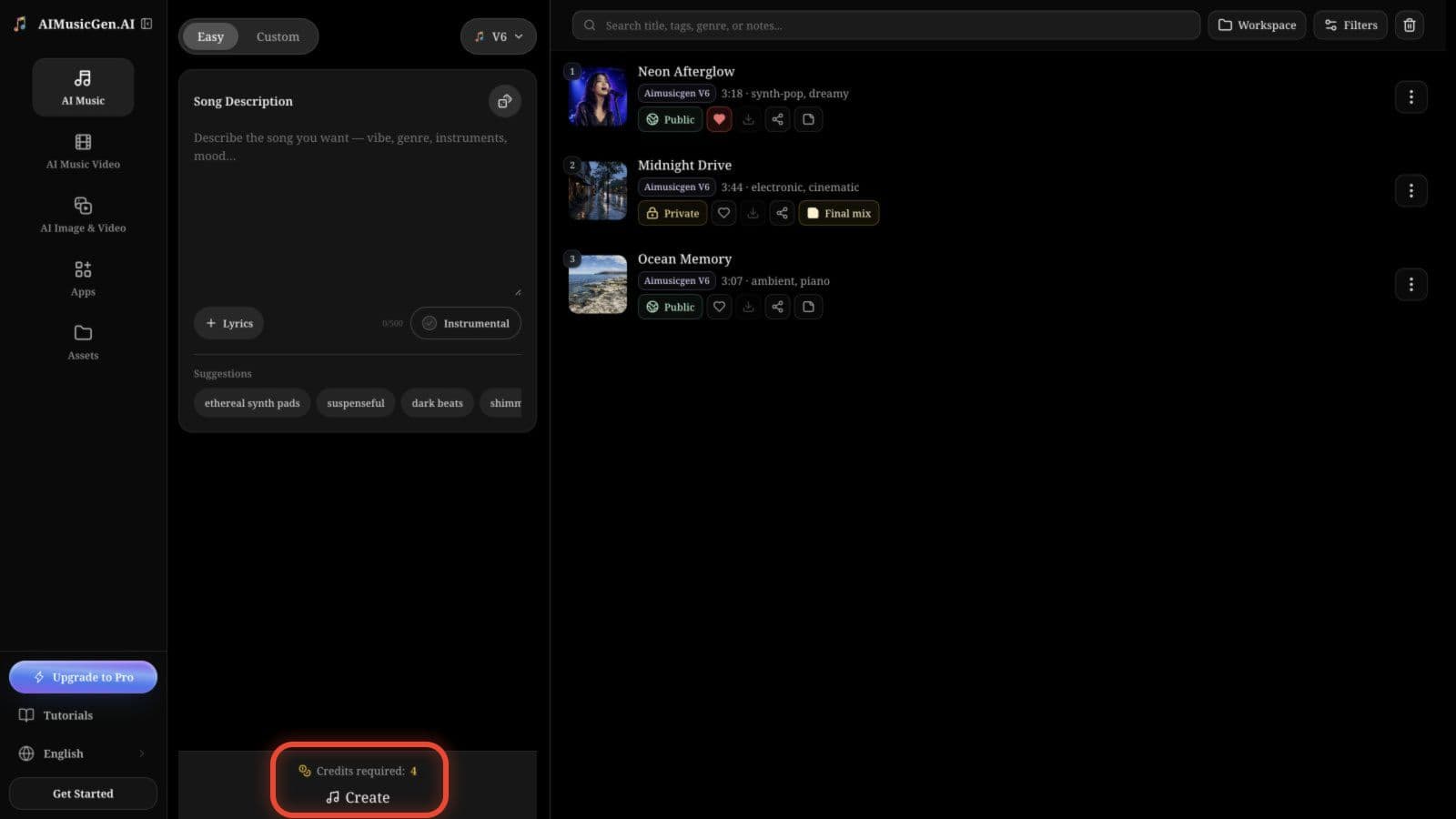
What happens after you select Create
- AIMusicGen checks your input and Credits.
- If everything is ready, the cost is taken and the song appears as Generating.
- The song list updates automatically when the result is ready.
AIMusicGen V2–V7 normally create two songs from one request. MiniMax and ElevenLabs create one.
Understand the progress
| What you see | What it means |
|---|---|
| Generating, with no Play button yet | The first playable audio is still being made |
| The title, cover, and Play button appear while Generating remains | Preview audio is ready to listen to, but the full song is still being processed |
| The Generating badge disappears | The full song has finished generating |
| Failed | The song could not be completed; read the message shown on it |
You can leave the page while a song is generating. When you return, the same song will still be in your list.
Do not select Create again just to check the progress. A second click starts a new request and may use Credits again.
If a task fails
If the request cannot start, you are not charged. If a song fails after the cost was taken, the product returns the Credits automatically when the failure is confirmed.
A song that stays unfinished for more than 30 minutes is marked as Failed when its list or details are checked again, and its recorded cost is returned.
Read the error, fix the input it mentions, and then try again. If the same problem keeps happening, note the time, model, and task ID if shown, then use Contact Support.
Related guides
- Create a song without learning the advanced settings: Quickstart
- Compare model costs and result counts: Choose a Music Model
- Diagnose a repeated task or result problem: Common Issues & Fixes
