Best Practices
Strong results rarely come from writing a “perfect prompt” in one attempt. Start with a version that has the right direction, listen all the way through, and then make a few deliberate, small changes.
If the Create page is still new to you, begin with Create Page Inputs & Settings. For help describing a sound, see the Song Prompt Writing Guide. For Lyrics and section planning, see Lyrics Writing, Tags & Saved Snippets. This guide starts after you already know how to create a song and focuses on listening, comparing, and improving.
Decide what this version needs to prove
Before selecting Create, write a very short goal card. Not every idea needs to be a requirement.
| What to record | Keep it to | Example |
|---|---|---|
| Where the song will be used | 1 use | Background music for a travel video |
| What you must hear | 2–3 points | Warm sound, acoustic guitar lead, a wider chorus |
| What may change freely | 1–2 points | The exact drum sound and intro melody |
| What you most want to avoid | 1–2 points | Heavy distortion and a sudden ending |
Here is a complete goal card:
Use: A rainy-day travel video.<br /> Must have: Warm indie pop, a clear female vocal, quiet verses that open into a wider chorus.<br /> May vary: Guitar or piano can lead, and the song can choose the drum feel.<br /> Avoid: Shouted vocals and heavily distorted guitars.
The goal card is not one large block that must be pasted into a field. It helps you judge the result. If all three must-have points are present, the version is worth keeping. Smaller details can be adjusted later.
Finish in three passes instead of overloading the first one
Pass 1: confirm the direction
Start with one main style, one mood, two or three important sounds, and one change between sections.
Warm indie pop with a relaxed, slightly nostalgic mood, acoustic guitar and soft drums, clear female lead, quiet verses opening into a wider chorus, natural ending.
The first pass only needs to answer three questions: Is the style right? Is the mood right? Are the voice and main instruments right? Do not throw away the whole direction because one drum sound or lyric line is imperfect.
Pass 2: strengthen the most important change
Choose the version that is closer to your goal and change only its largest weakness. If the verse and chorus feel too similar, add one focused instruction:
Keep the verses gentle; bring in full drums and wider harmonies for the chorus, then add one more layer of energy in the final chorus.
Keep the Lyrics, model, and other settings unchanged for this pass. When you listen again, you will know whether that one change helped.
Pass 3: repair one area and finish the song
When most of the song already works, do not keep rebuilding all of it:
- Use Edit song section when one short lyric or performance area is wrong.
- Use Extend when the song needs a new continuation or ending.
- Use Cover when the original song should remain the starting point but the performance or overall sound should change.
- Use Add Instruments or Add Vocals when one musical layer is missing.
The goal is to keep what already works and solve only the remaining problem.
Listen three times before you keep editing
First listen: play the whole song
Do not pause, read the Lyrics, or open an editing tool yet. Record only your first reaction: Does this sound like the song on your goal card? Where do you most want to keep listening? Where does the song lose you?
If the title, cover, and Play button appear while the song is still Generating, you can listen to the preview. Wait until Generating disappears before judging the complete structure and ending.
Second listen: check five moments
| Moment | What to listen for | Common problem |
|---|---|---|
| Opening | Does the song establish its feeling quickly? | The intro is too long or starts too suddenly |
| First vocal section | Are the voice, delivery, and words clear? | The vocal is too forceful or the lines feel crowded |
| First chorus | Is there a memorable lift or focus? | The chorus feels the same as the verse |
| Section changes | Do the parts connect naturally? | All instruments enter or disappear at once |
| Final moments | Does the song feel finished? | It cuts off suddenly or continues too long |
Write one short note for each problem. “The chorus works, but it enters too suddenly” is much easier to improve than “the whole song is not good enough.”
Third listen: check against the words
Open the Lyrics or your original inputs and listen again. Check whether:
- an important lyric was changed, skipped, or repeated;
- names and unusual words sound clear;
- the main instruments and voice match the goal;
- the requested changes between sections are actually present;
- an unwanted sound keeps returning.
Choose only the problem that matters most for the song’s intended use. Save the other observations in a private note instead of changing everything at once.
Choose between two versions from the same request
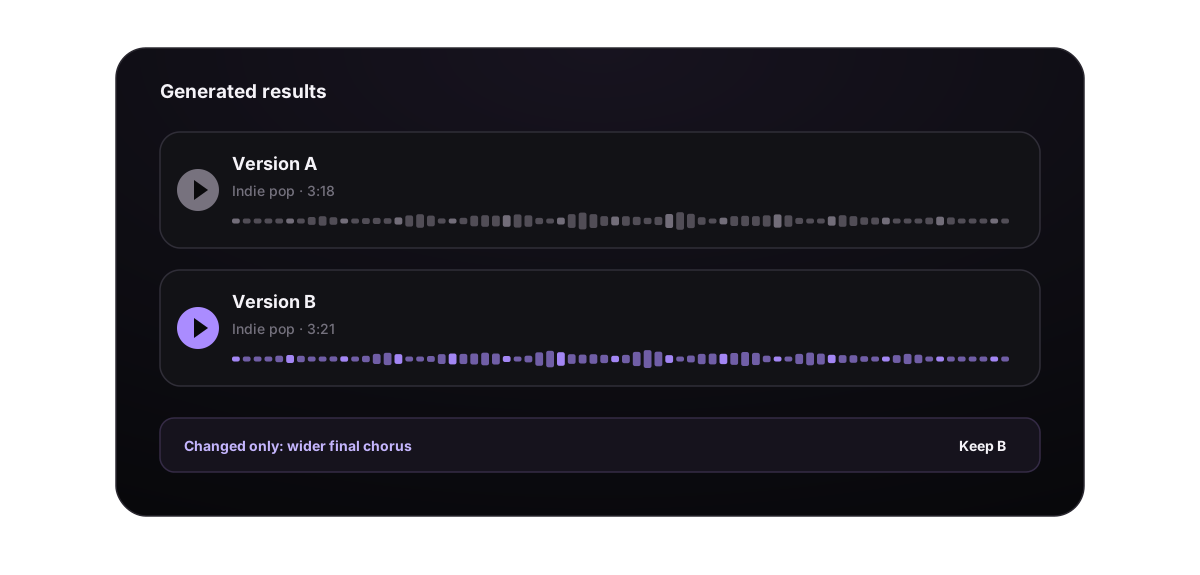
Do not judge only the first ten seconds, and do not automatically choose the louder version. Compare both against the goal card.
| Check | Version A | Version B |
|---|---|---|
| Must-have points present | 3 of 3 | 2 of 3 |
| Strongest moment | Vocal and verse | Chorus melody |
| Largest problem | Ending is too quick | Voice does not match the goal |
| Work needed | Repair the ending | Rebuild much of the song |
Version A is usually the better starting point in this example. It is closer to the original goal, and its remaining problem is smaller. One exciting moment in Version B does not outweigh a mismatch in the song’s main direction.
If both versions have something useful, favorite both and add clear notes such as “voice reference” and “chorus reference.” They are separate results, so you do not need to delete one immediately.
Turn one listening problem into one small change
| What you hear | First change to try | Keep unchanged for now |
|---|---|---|
| The intro is too long | Short intro, vocals enter early | Lyrics and main style |
| The opening is too sudden | Begin gently with one instrument, then bring in the drums | Chorus and ending |
| Verse and chorus feel the same | Restrained verse, full drums and harmonies in the chorus | Voice type and pace |
| The chorus is hard to remember | Shorten it and keep one clear repeated line | The rest of the story |
| Lyrics sound rushed | Split one long line into two short lines | Style |
| The song feels crowded | Remove secondary instruments and keep two or three main sounds | Lyrics and model |
| The vocal is too forceful | Ask for a soft, restrained, close vocal | Instruments and structure |
| The mood never changes | Add intimate verse, brighter final chorus | Main style |
| One unwanted sound keeps returning | Add that sound to Exclude styles | The sounds you want to keep |
| The ending cuts off | Ask for a short instrumental close after the final lyric | Earlier sections |
| Only one short area is wrong | Use Edit song section | Every part you already like |
| The entire direction is wrong | Return to the goal card and choose the main style and mood again | Do not keep adding more detail |
Listen to the complete result after each change before deciding whether it helped. Do not submit the same request repeatedly while the current result is still processing.
Six complete small-change examples
Example 1: bring the vocal in earlier
First version
Warm city pop with a late-night mood, soft keys, bass, and a female lead.
What you hear
The intro has the right feeling, but the singing starts much later than you want.
Add only this
Short intro, vocals enter early.
Do not change the singer, add instruments, or rewrite the Lyrics at the same time. The next version only needs to show whether the vocal enters at a better moment.
Example 2: make the chorus open up
What already works
The verse mood and female vocal are right, but the chorus still feels like another verse.
Change only Style
Keep piano and light drums in the verse; bring in full drums, wider harmonies, and brighter guitar in the chorus.
This says both what should stay and what should grow. It is clearer than asking for a “more epic chorus.”
Example 3: make a lyric easier to sing
Before
I walk through the crowded streets after midnight looking for the answer I never had the chance to tell you
After
I walk the streets past midnight<br /> Looking for the words I never said
Only shorten the lines. Keep the story and Style unchanged. In the next version, listen for clearer words and a more comfortable melody.
Example 4: clear a crowded song
Before
Piano, acoustic guitar, electric guitar, strings, brass, synths, live drums, and percussion all driving together.
After
Piano leads, warm bass and light drums support it, with one string layer entering only in the chorus.
If distorted guitar still returns, add it to Exclude styles. Remove unimportant sounds before adding new ones.
Example 5: give the song a natural ending
What you hear
The final lyric ends and the song feels as if it was cut off.
First change to try
After the final chorus, reduce the drums, repeat the last line, and finish on one sustained chord.
If the rest of the song is already right and only the end needs work, use Extend from a suitable point instead of generating the earlier sections again.
Example 6: correct one wrong lyric
What you hear
The song is strong, but one line in the second verse is wrong.
Use the smaller action
Keep the original song. Open Edit song section, select only the short area containing the wrong line, and provide the replacement words plus the full final lyric order. This avoids asking the system to make new decisions about the whole voice, verse, and chorus.
Twelve small tips that are easy to miss
- Put the most important direction first and decorative details later.
- Start with one main style. If you blend styles, give the second one a clear purpose.
- Use action words such as “enter,” “drop back,” “open up,” “return,” and “finish” to describe how the song changes.
- Assign opposite ideas to different sections: “quiet verse, wide chorus” is clearer than asking the entire song to be quiet and huge.
- Keep each instruction in one suitable field instead of repeating it in Song Description, Lyrics, and Style.
- After using Enhance, read the result and remove instruments, moods, or sections you did not request.
- Save good Lyrics and Style text before using Generate Lyrics or Optimize.
- A preview can help you judge the voice and direction, but the final check should wait until generation completes.
- Compare versions at a similar volume and from the same starting point so that “louder” is not mistaken for “better.”
- Use the Title to record the difference between drafts, such as “Rainy Night – Wider Chorus” or “Rainy Night – Short Intro.”
- Make smaller changes as the song gets closer to the goal. Near the end, changing many parts creates more work than it solves.
- If an important instruction is missed several times, move it earlier and remove less important detail instead of making the prompt longer.
Save what actually worked in each attempt
After each pass, record three things:
| Note | Example |
|---|---|
| Best part of this version | Natural vocal and a clear first verse |
| The only change for the next version | Add harmonies in the chorus |
| What stays unchanged | Model, Lyrics, pace, and main instruments |
Use favorites, Workspace, Album, and private notes to keep this information. Save useful Lyrics and Style text separately so it can be reused later. Keep the original upload, strong generated versions, and final downloads until the project is complete.
Do one final user check before sharing
- Listen from the first second through the complete ending, not only to the best section.
- Read the Lyrics during playback and check names, numbers, language, and repeated lines.
- Make sure the Title clearly separates the final version from drafts.
- Confirm whether the song is Public or Private.
- Open the share page and check the downloaded file.
- If the song is for a video, play it against the real visuals once and check whether the opening and energy changes fit.
- For commercial work, review the current plan and license terms before delivery.
A complete workflow you can follow
- Write a goal card with only two or three must-have points.
- Create the first results and do not duplicate a request while it is processing.
- After generation completes, listen once without stopping and record the overall feeling.
- Listen again at the five key moments and name the largest problem.
- Choose the result that is closest to the goal and easiest to repair.
- Change one instruction or use the smallest suitable editing action.
- Compare before and after, then save the Lyrics, Style, and version that truly helped.
- When no major problem remains, stop rebuilding and complete the title, organization, sharing, and download checks.
Finishing a song is not about making the prompt longer and longer. It is about knowing the most important problem in the current version and solving it with the smallest useful change.
