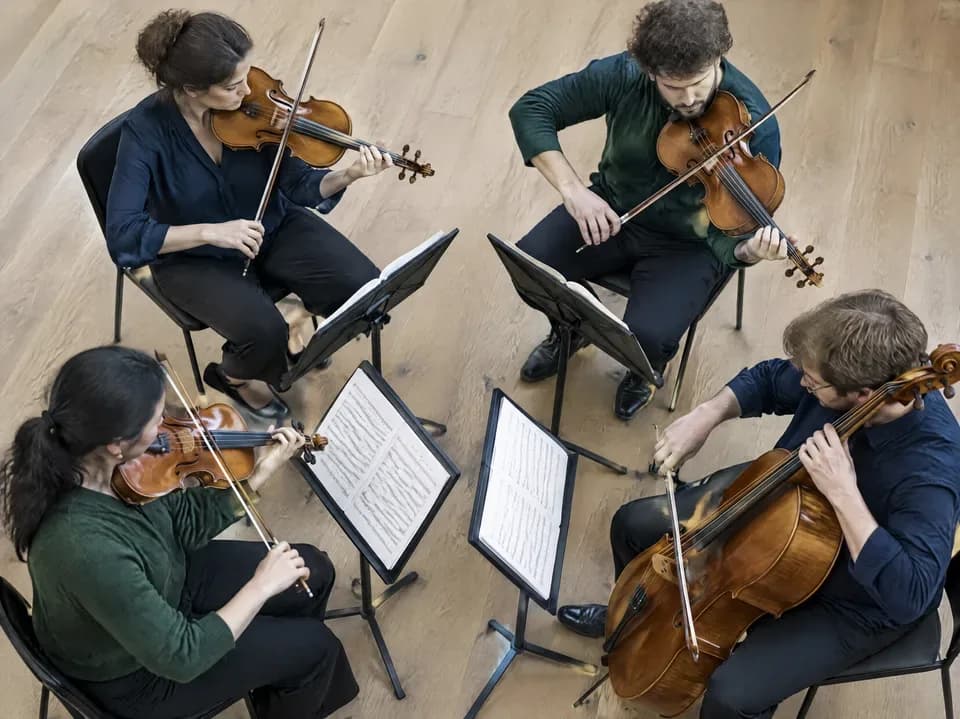
AI Song Cover Generator: Your Song, a New Style

Reimagine your song as an acoustic ballad, a jazz arrangement, or an electronic track. Use AI to create a cover from your source audio and explore a different sound for your lyrics.Give your song a new arrangement, from acoustic and jazz to electronic styles.

Keep your lyrics. Explore a new genre.
Change the music style

Keep your lyrics. Explore a new genre.

Hear familiar words against a different musical backdrop. Create an AI song cover with an acoustic, rock, jazz, or EDM direction. Use your original lyrics and describe the style you want to explore another side of the song.

Try AI Cover GeneratorSource songNew genre

Change the arrangement and the atmosphere
Reimagine the arrangement

Change the arrangement and the atmosphere

Take a full band sound toward an intimate piano arrangement, or give a quiet song a more energetic feel. Guide your cover with descriptions of instruments, mood, and dynamics to explore how a new arrangement changes its expression.

Try AI Cover GeneratorOriginal arrangementDifferent interpretation
Turn your demo into a new interpretation
Create from your own audio

Turn your demo into a new interpretation

An existing recording can be the beginning of your next idea. Start with an eligible song from your library or upload supported audio. The AI cover generator uses that recording as a musical reference for a new rendition in your chosen style.

Try AI Cover GeneratorSong or demoAlternative version
One song, more ways to make it your own
Compare new interpretations

One song, more ways to make it your own

Try a stripped-back cover, a warmer arrangement, or a bolder sound. Each AI cover is saved as a separate version, so you can compare interpretations and return to the original whenever you want to explore another direction.

Try AI Cover GeneratorOriginal and coversYour preferred version
How to make an AI cover

How to Create a New Version of a Song

Start in Cover Music, or use Remix → Cover on a song in Create. Both entry points lead to the same cover workflow.

Back to this workspace
  1. Choose the source song

    Select an eligible completed song from My Songs on this page, or use Upload Audio for an eligible file. Alternatively, choose Remix → Cover on a song in Create. Preview the source and select an available cover model.

  2. Describe the new sound

    Name the genre, instruments, mood, and vocal feel you want to explore. Add a title and any required lyrics. Keep the direction focused so the result is easier to compare.

  3. Generate and compare the cover

    Review credits, then select Cover Music here or Create in the Create workspace. Find the completed version in this page's History or Create's Songs, and compare its arrangement and phrasing with the original. The original remains available.

Explore More Tools

More Ways to Work on Your Song

Create a song, shape its sound, separate vocals, or turn it into a music video. Find the right tool for your next step.

AI Music Extender

Add a verse, bridge, or outro from a point you choose.

AI Music Editor

Replace a song section with new lyrics or musical direction.

AI Mastering

Explore the finishing stage for a balanced, polished track.

Music to Prompt

Explore a music prompt example and prepare reference audio.

Send the Song

Share a song with a personal message and a dedicated page.

AI Music Generator

Create an original song from your lyrics and musical ideas.

AI Music Video Generator

Turn your song into a music video with AI visuals.

AI Song Cover Generator FAQ

Learn what AI song covers change, how source audio and models affect the result, and how Cover differs from voice changing.

What does Aimusicgen's AI song cover generator do?

Choose an eligible completed song from My Songs in Cover Music, or select Remix → Cover in Create. Use the source audio as a reference and describe the genre, mood, or arrangement you want. Choose an available model, complete its required fields, and review credits before generating.

Will an AI cover preserve the original melody and lyrics exactly?

The source audio guides the cover, but the result can change melody details, vocal phrasing, instrumentation, and structure. There is no exact-melody lock in the Cover controls. Review the lyrics supplied to the model and compare the result with the original. If you only need a local lyric correction, Replace Section is the more focused workflow.

Is an AI song cover the same as changing the singer's voice?

Cover regenerates a musical rendition and can change the arrangement as well as the vocals. Voice Changer is a separate tool for changing vocal timbre. Choose Cover when you want a different musical interpretation; choose Voice Changer when your main goal is to change how the singer sounds.

How do I change a song's genre or instruments with Cover?

Describe the target genre, instruments, mood, and vocal feel in the style field. For example, you could request acoustic folk with fingerpicked guitar and intimate vocals. Supply the lyrics required by the selected model, then generate and compare. Style instructions guide the whole rendition; Cover does not provide isolated editing of a single instrument track.

Can I make an AI cover from audio I upload?

Yes, eligible uploaded audio can use Cover, with file-duration limits determined by the selected model. The direct upload-cover workflow does not offer MiniMax Cover; that option is available from a completed song. Check the source and model options in the creator before submitting, and use audio you have permission to work with.

Why are some cover models or source songs unavailable?

The Cover card offers the source's original model when it supports Cover, alongside the available MiniMax option. Source eligibility also matters: separated accompaniment, Add Instruments results, and unfinished edit fragments cannot be used as cover sources. MiniMax Cover accepts source audio from 6 seconds to 6 minutes and does not support References.

Does generating a cover replace the original song?

No. Aimusicgen saves the cover as a separate result and retains the source song. You can listen to both versions and compare the arrangement, vocal delivery, and ending. Generating a cover does not automatically replace the original audio in your library.

Can I make multiple AI covers of the same song in different styles?

Yes. Select the same source again in Cover Music's My Songs or use Remix → Cover in Create, then change the style description. Try an acoustic, jazz, or electronic arrangement and give each version a distinct title. Each generation is saved separately for comparison.

Create an AI Song Cover

Your song. A new interpretation.

Try AI Cover Generator